Batch workflow
Drag in multiple images and process them in one clean session.
 EZCut
EZCut
Batch Image Editor
EZCut helps you resize, crop, watermark, rename, and export multiple images with a clean desktop workflow on Windows and macOS.
Capabilities
Drag in multiple images and process them in one clean session.
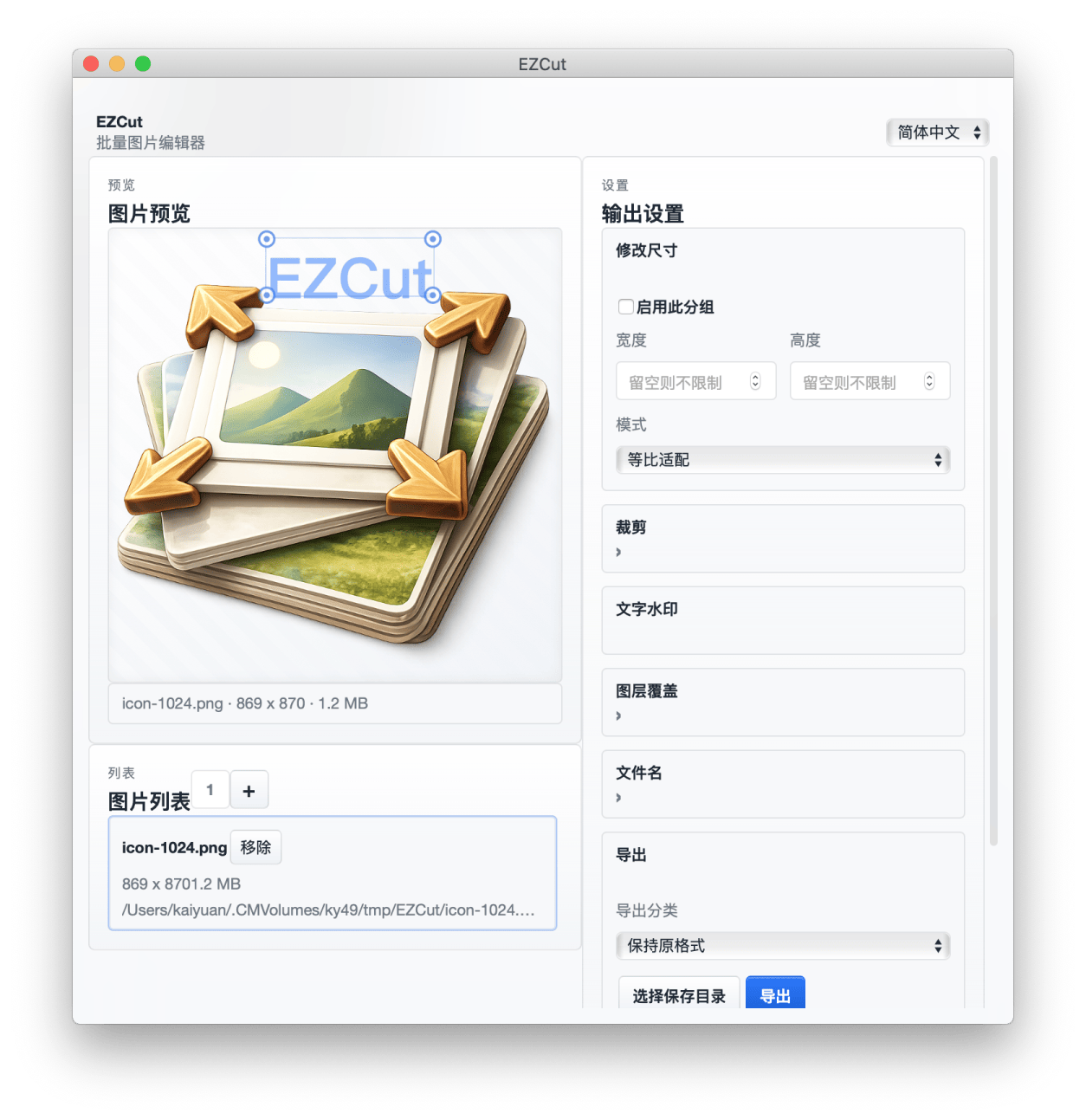
Preview crop, watermark, and layer changes before export.
Use templates and regex rules to generate export filenames.
Built with Tauri for quick startup and a lightweight footprint.
Interface
The left side keeps preview and image list visible, while the right side groups output controls into collapsible panels.
Downloads
The recommended build is highlighted automatically based on your current system.
Support
If EZCut helps your daily workflow, you can support ongoing development here.